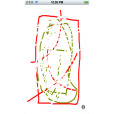
《我的畫圖板》是2015年發布於iOS平台的繪畫工具類套用,可將iPhone螢幕轉為虛擬畫板,適配移動端觸控操作場景。
該套用聚焦基礎繪畫功能,用戶通過單指或多指觸控繪製圖形,內置控制臺可調節線條顏色、粗細,並提供橡皮擦與一鍵清屏功能。其互動設計強調直觀性,支持搖晃設備快速清空畫布,簡化傳統繪畫流程,滿足即時創作及修改需求,界面布局以簡潔實用為核心特點。
基本介紹
- 軟體名稱:我的畫圖板
- 軟體平台:IOS
- 軟體語言:英語
- 軟體大小:5.5MB
- 價格:免費
- 支持版本:iOS6.0或更高版本
套用介紹
畫圖板應用程式將iPhone的螢幕變成一個虛擬的畫圖板,用戶可以通過一個或者多個手指在螢幕上滑動來進行繪圖。按下左上角的按鈕,可以打開控制臺來設定線條的顏色和寬度。控制臺底部的兩個按鈕,一個可以將用戶的手指變成橡皮擦,另外一個直接將整個螢幕清空。用戶在繪圖過程中,也可以通過左右搖晃iPhone來將整個螢幕清空。 Drawing board application to the iPhone screen into a virtual drawing board, the user can slide by one or more fingers on the screen drawing. Press info button the toper left corner to open the control panel to set the line color and width. The two buttons on the control panel at the bottom of a user's finger into an eraser, the other emptied the entire screen. The process of drawing through the left and shake the iPhone to the whole screen clears.
